iPhone & iPad · Public beta

A private journal app for iPhone and iPad

Dabble Me is a private timeline of your life. Write a few lines about your day, add some photos, and rewind to any of it later. The app is the quickest way to do all three.

Free to download. Installs through Apple's TestFlight.

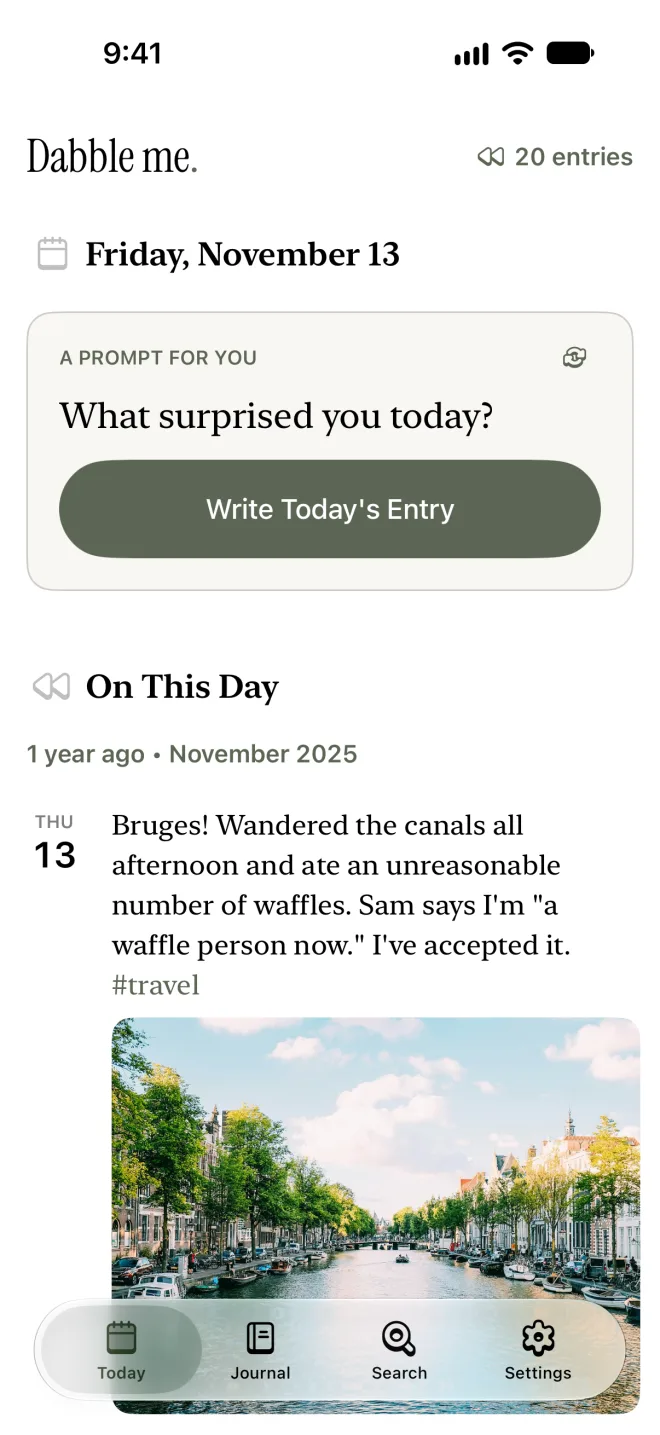
The Today screen of the Dabble Me app: a writing prompt, a Write Today's Entry button, and an entry from this day a year ago with its photo

What's in the app

Four tabs: Today, Journal, Search and Settings. Here is what you'll find in them.

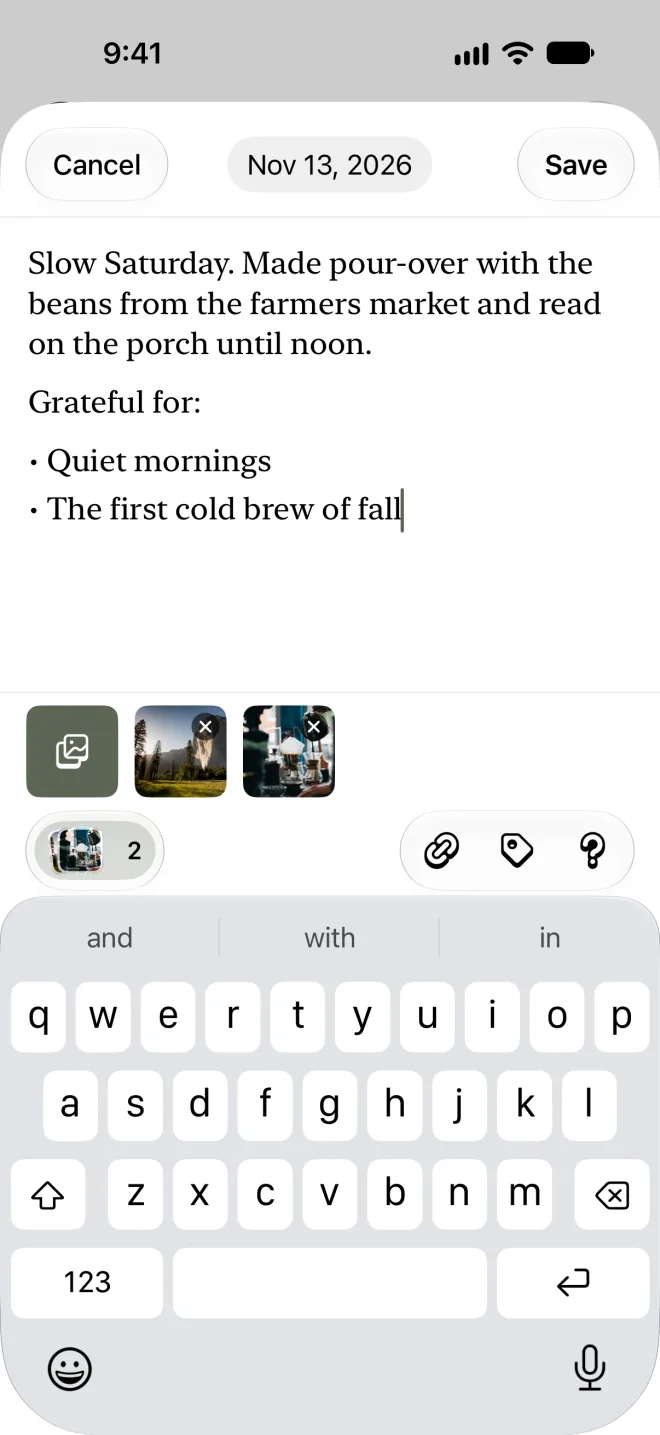
Writing an entry in the Dabble Me app, with a bulleted list, two attached photos and the keyboard open

Write

Write a few lines, add a few photos

A plain page with the keyboard up. Lists, bold and links when you want them, up to eight photos from your library or camera, and #hashtags to find things by later. If yesterday is still blank, it offers to write that one too.

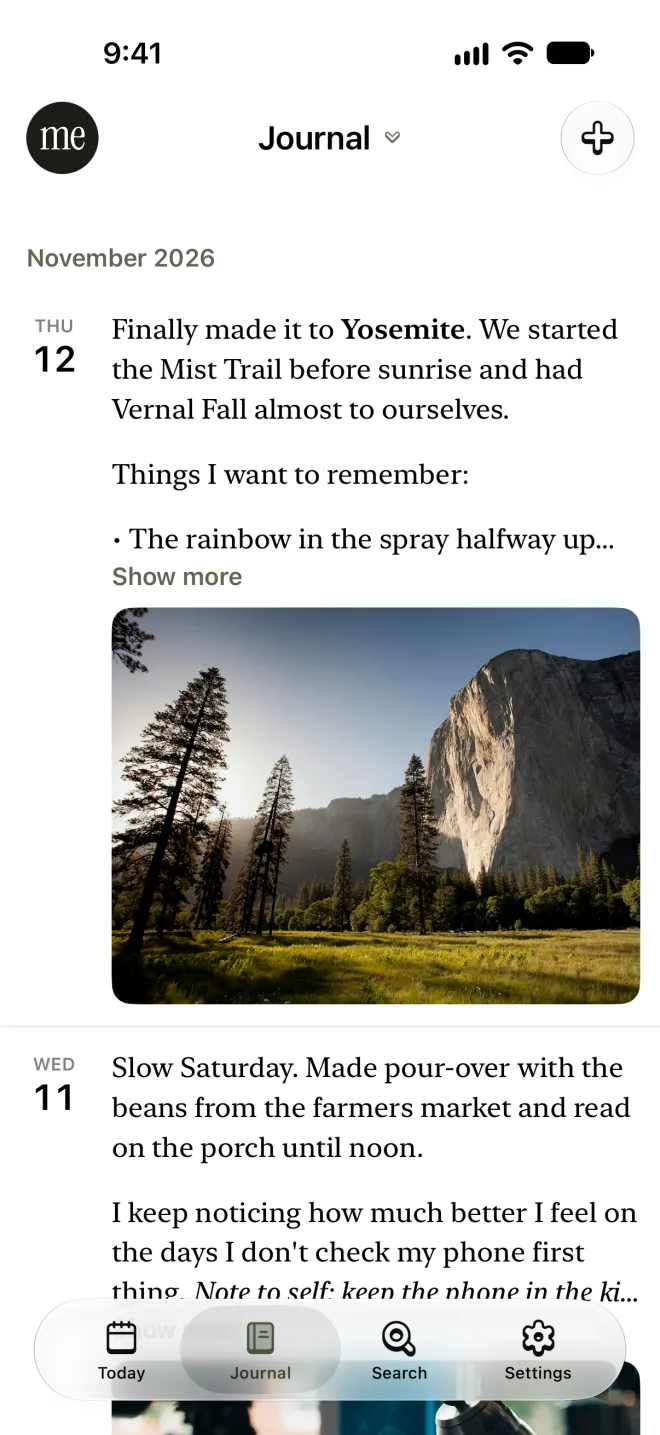
The Journal timeline in the Dabble Me app, listing entries by date under November 2026 with a photo of Yosemite

Journal

Your whole journal, one scroll

Every entry in order with its photo, grouped by month. Drag the side of the screen to move through years in a second, or jump straight to a day from a calendar that marks the days you wrote.

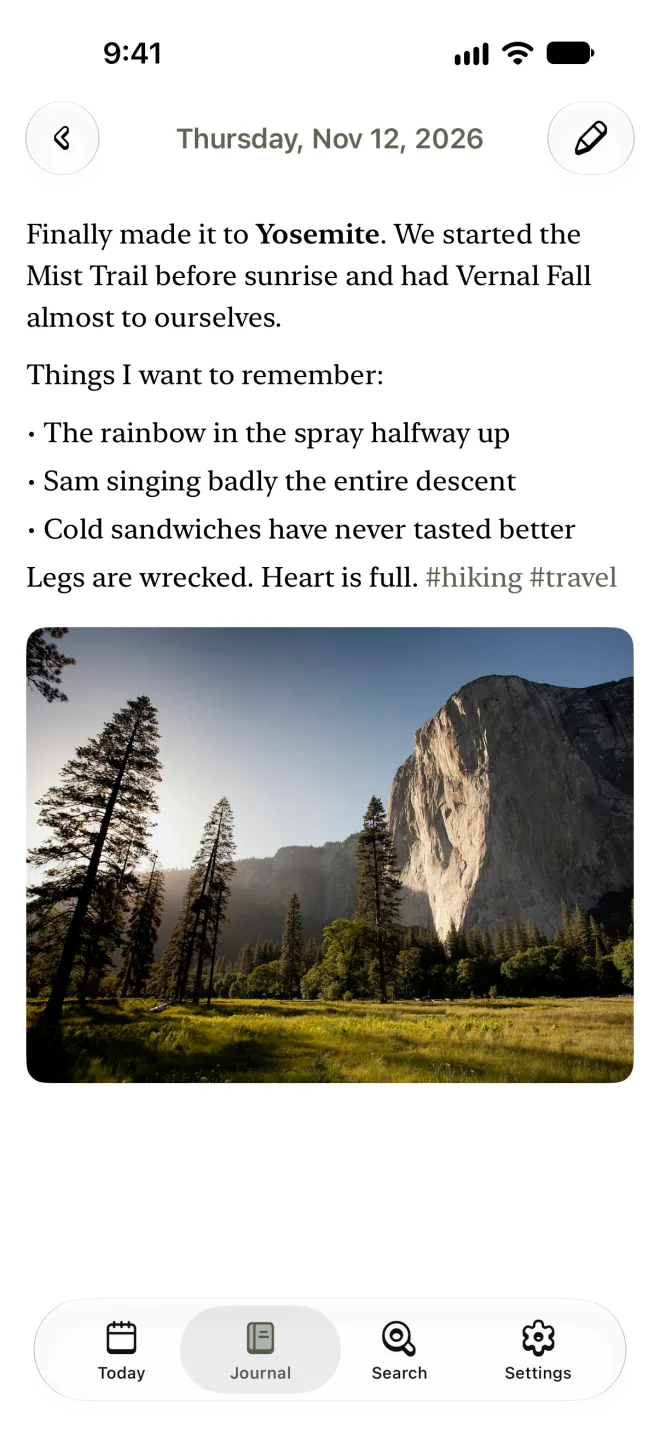
A full journal entry in the Dabble Me app about a hike in Yosemite, with a list of things to remember and a photo

Read

Read an entry the way you wrote it

An entry opens full screen in a reading typeface. Pinch to change the text size, swipe the date to move to the entry before or after, and scroll on to see the same date in other years.

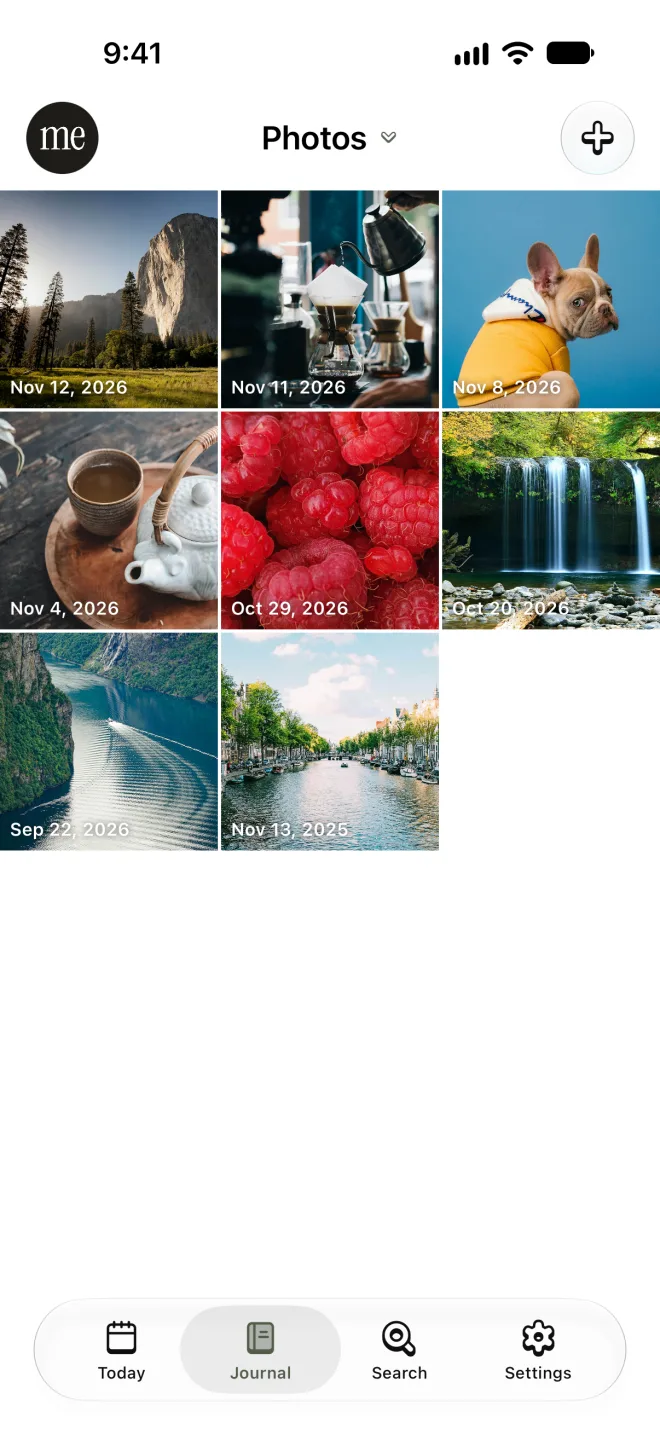
The Photos view in the Dabble Me app: a grid of journal photos, each labelled with its date

Photos

Every photo you've kept, in one grid

The Photos view is your journal as pictures. Tap one to open what you wrote that day.

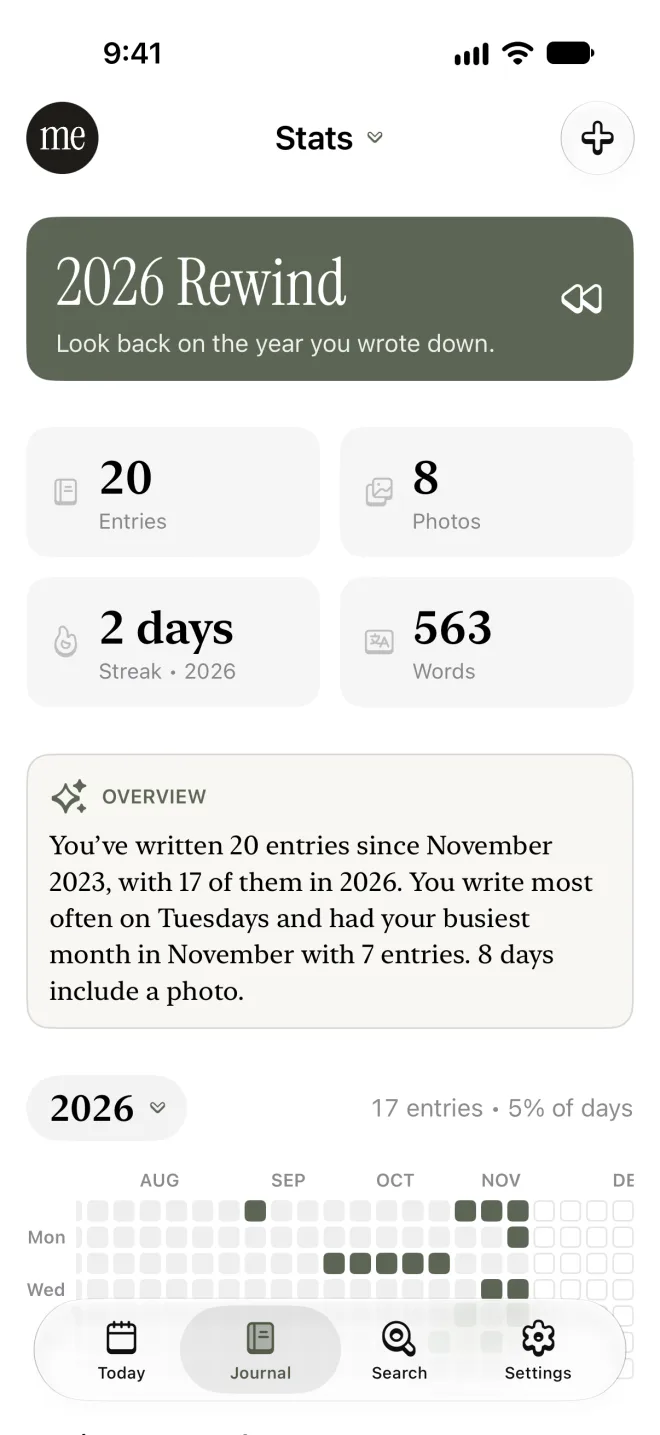
The Stats view in the Dabble Me app, showing entry, photo and word counts, a summary of the year and a grid of days written

Stats

See the habit take shape

How many entries, words and photos you have, the days you wrote this year, and the hashtags you use most. In winter, Rewind turns your year into a short story to tap through.

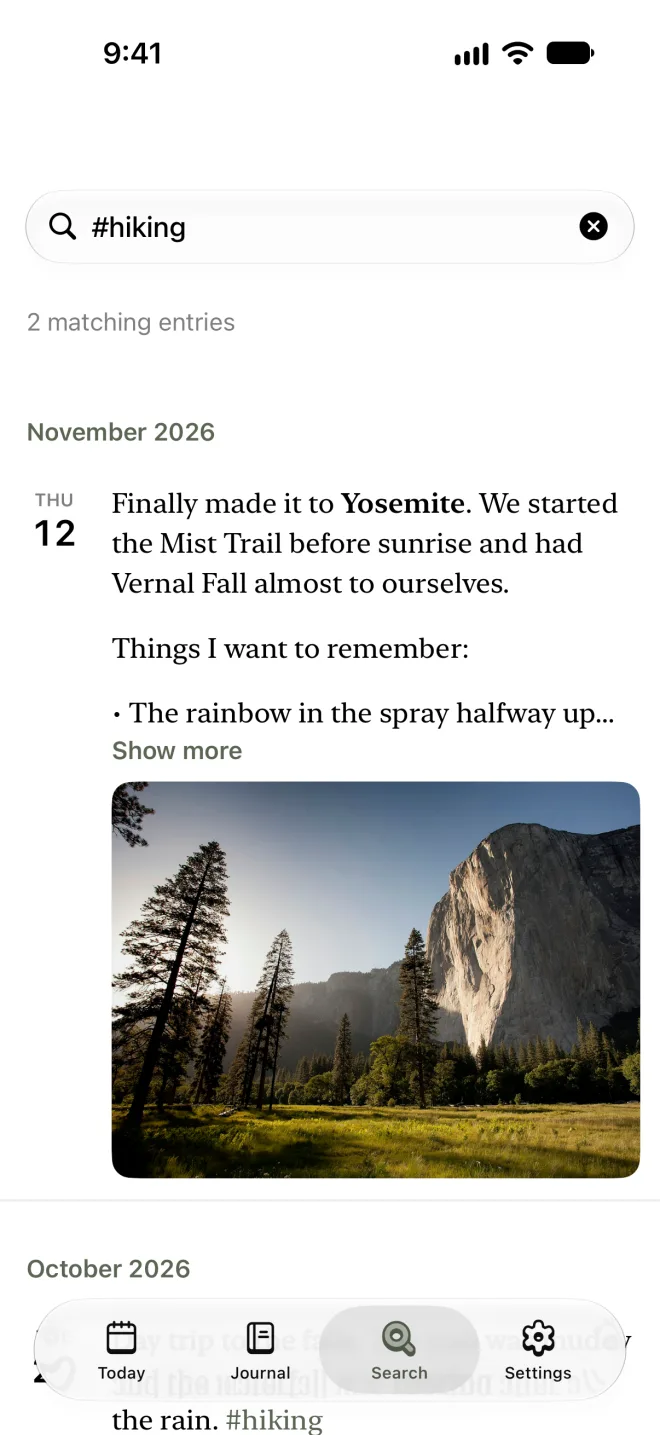
Search results in the Dabble Me app for the hashtag hiking, showing two matching entries

Search

Find the day you're thinking of

Search for a word, a phrase or a #hashtag and get every entry that mentions it, newest first.

The small things that keep you writing

A reminder with a memory in it

One notification a day, at the time you choose, showing an entry from your past. It stays quiet on days you've already written.

A widget on your Home Screen

Today's date and a prompt, or a look back at an old entry. One tap opens a new entry.

Reflections that stay on your phone

Pull down on an entry for a short reflection and a question to think about, written on your device by Apple Intelligence. Nothing is sent anywhere.

A lock, if you want one

Turn on Face ID and the app opens only for you.

Shake for a random memory

Give your phone a shake and an entry from somewhere in your journal comes up.

Songs from the day

Paste a Spotify link into an entry and it becomes part of the memory. The Playlist view collects them all.

App, email or web: it's one journal

Dabble Me began as a journal you keep by replying to an email, and plenty of people still write that way. Whatever you write in the app shows up on the web, and an email reply shows up in the app. Not sure where to begin? Read how to start journaling, with prompts for your first week.

Free and PRO

Free

  • Read your whole journal
  • Write and delete entries
  • A daily reminder and the Home Screen widget
  • On-device reflections, prompts and hashtag suggestions

PRO · $4/month or $40/year

  • Photos in your entries
  • Editing entries and adding links
  • Search, Stats and Rewind
  • On This Day

There are no purchases inside the app. See what PRO includes.

Common questions

Is the Dabble Me app free?

Yes. The app is free to download, with no purchases inside it. On a free account you can read your journal, write and delete entries, set a daily reminder and use the Home Screen widget. Photos, editing, search, Stats and On This Day are part of Dabble Me PRO, which is $4 a month or $40 a year.

Is it in the App Store?

Not yet. The app is in public beta through TestFlight, Apple's own app for trying new apps. Install TestFlight from the App Store, open the invitation link, and Dabble Me installs like any other app.

Do I have to use the app to keep a Dabble Me journal?

No. Dabble Me started as a journal you keep by replying to an email, and that still works. The app, the email and the website all write to the same journal, so use whichever is closest to hand.

Is my journal private in the app?

Yes. Your journal is yours alone: there is no feed, no sharing and no followers. You can lock the app with Face ID, and the app's AI features (reflections, writing prompts and hashtag suggestions) run on your iPhone with Apple Intelligence, so your entries are not sent anywhere for them.

Which iPhones and iPads does it work on?

Any iPhone or iPad running iOS 18 or later. The Apple Intelligence features need a device and iOS version that support Apple Intelligence; everything else works without it.

Is there an Android app?

Not yet. On Android you can write by replying to the daily email, use the website, or connect your journal to ChatGPT or Claude.

Start with today

Get the app, write a few lines tonight, and let it bring them back to you next year.